
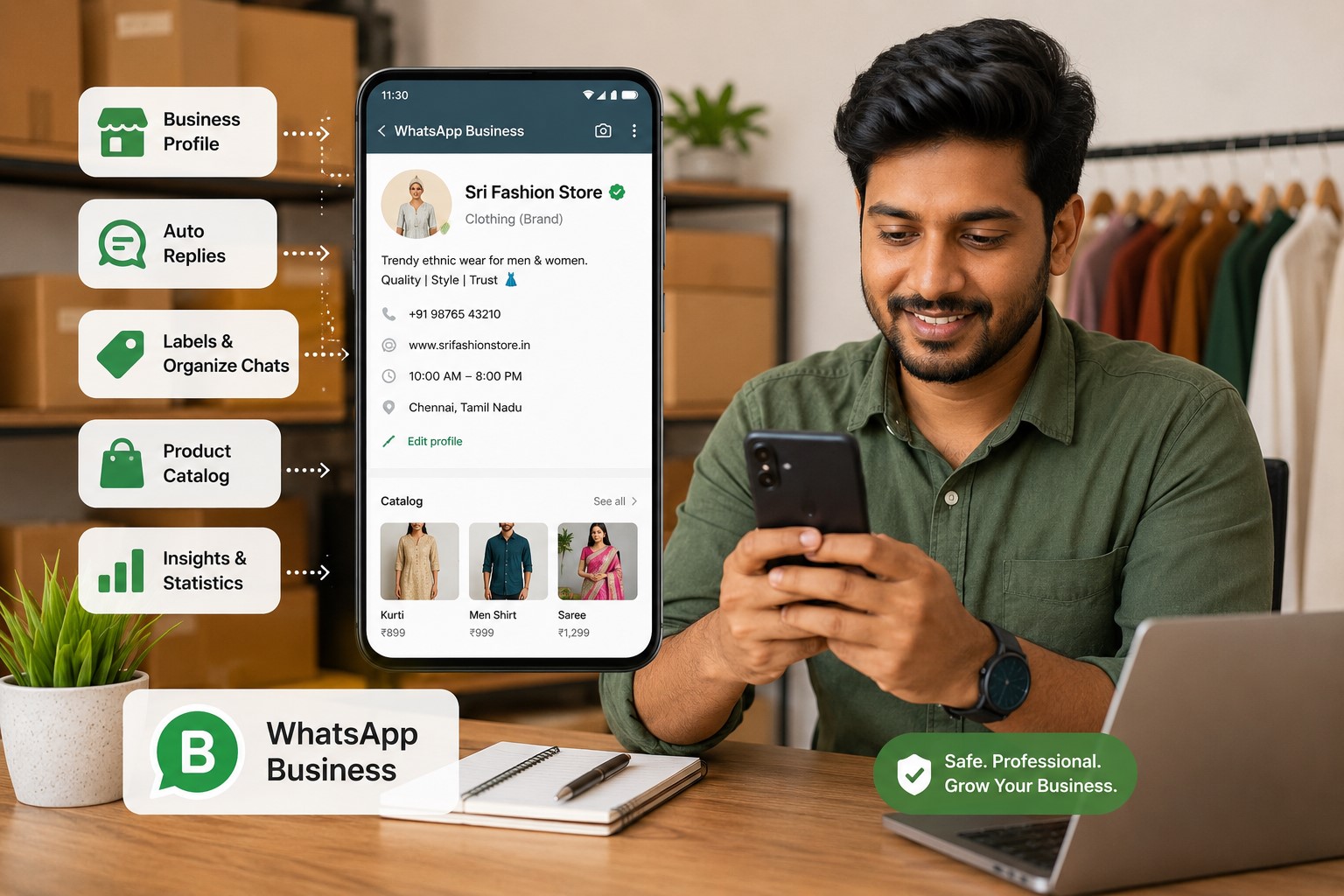
பட்டியல்
- இந்திய வணிகங்களுக்கு WhatsApp பாதுகாப்பு ஏன் முக்கியம்
- WhatsApp Business vs Personal Account
- Business Profile முழுமையாக Setup செய்தல்
- Spam & Account Blocks தவிர்த்தல்
- Smart Automation Features
- Product Catalog Best Practices
- Labels மூலம் Customer Management
- பாதுகாப்பு & Two-Step Verification
- Scaling-க்கான WhatsApp Cloud API
- Ecommerce & Marketing Integrations
- அடிக்கடி கேட்கப்படும் கேள்விகள்
இந்திய வணிகங்களுக்கு WhatsApp பாதுகாப்பு ஏன் முக்கியம்
WhatsApp இந்தியாவில் 1.5 கோடி சிறு வணிகங்களின் primary customer communication channel ஆக மாறியுள்ளது. ஆனால் தவறான பயன்பாடு account blocks, customer data இழப்பு மற்றும் revenue disruption-க்கு வழிவகுக்கிறது.
வணிகங்கள் WhatsApp accounts இழப்பதற்கான பொதுவான காரணங்கள்:
- Consent இல்லாமல் bulk promotional messages அனுப்புதல்
- WhatsApp policies-ஐ மீறும் third-party automation tools பயன்படுத்துதல்
- அதிகப்படியான forwarding மற்றும் copy-paste messaging
- Commercial purposes-க்கு WhatsApp Business app பயன்படுத்தாதது
- Customer messages-க்கு poor response rate
இந்த checklist புதுச்சேரி, சென்னை, பெங்களூரு மற்றும் மும்பை-based SMBகளின் real case studies-இல் இருந்து உருவாக்கப்பட்டது, அவை blocks இல்லாமல் தங்கள் WhatsApp operations-ஐ வெற்றிகரமாக scale செய்தன.
💡 Pro Tip: WhatsApp extreme cases-ல் numbers-ஐ permanently ban செய்கிறது. எப்போதும் backup communication channel வைத்திருங்கள் மற்றும் safety guidelines பின்பற்றாமல் உங்கள் primary business number-ஐ பயன்படுத்த வேண்டாம்.
1. Personal WhatsApp பதிலாக WhatsApp Business பயன்படுத்துங்கள்
அதிகாரப்பூர்வ WhatsApp Business app commercial communication-க்காக வடிவமைக்கப்பட்டது மற்றும் personal accounts-ல் இல்லாத features வழங்குகிறது. வணிகத்திற்கு personal WhatsApp பயன்படுத்துவது account restrictions-க்கான #1 காரணம்.
WhatsApp Personal vs Business முக்கிய வேறுபாடுகள்
| Feature | Personal WhatsApp | WhatsApp Business |
|---|---|---|
| Business Profile | ❌ கிடையாது | ✅ முழுமையான business info |
| Product Catalog | ❌ இல்லை | ✅ 500 வரை products |
| Auto Replies | ❌ இல்லை | ✅ Greeting, Away, Quick Replies |
| Labels & Organization | ❌ Basic labels மட்டும் | ✅ Custom business labels |
| Message Statistics | ❌ Analytics இல்லை | ✅ Read, delivered, sent stats |
| Multi-device Support | ✅ குறைவானது | ✅ 4 devices வரை + web |
| WhatsApp API Access | ❌ அனுமதி இல்லை | ✅ API-க்கு upgrade செய்யலாம் |
Personal-இல் இருந்து Business-க்கு Migrate செய்வது எப்படி (Step-by-Step)
- WhatsApp Business Download செய்யுங்கள் Google Play Store அல்லது Apple App Store-இல் இருந்து
- உங்கள் business number verify செய்யுங்கள் (migrate செய்தால் personal number-ஐயே பயன்படுத்தலாம்)
- Chat history import செய்யுங்கள் setup-ல் (one-time option)
- Business profile setup செய்யுங்கள் முழுமையான details உடன்
- Catalog மற்றும் labels configure செய்யுங்கள் உங்கள் products/services-க்கு
⚠️ முக்கியம்: ஒரே phone number-ஐ Personal WhatsApp மற்றும் WhatsApp Business இரண்டிலும் ஒரே நேரத்தில் பயன்படுத்த முடியாது. ஒன்றை தேர்வு செய்யுங்கள்.
2. உங்கள் Business Profile-ஐ முழுமையாக அமைக்கவும் (நம்பிக்கை & நம்பகத்தன்மை உருவாக்குகிறது)
முழுமையான business profile customer confidence-ஐ 73% அதிகரிக்கிறது என்று Meta-வின் ஆராய்ச்சி கூறுகிறது. முழுமையற்ற profiles unprofessionalism-ஐ குறிக்கிறது மற்றும் conversion rates-ஐ குறைக்கிறது.
அவசியமான Profile Elements
1. Business Name: Personal name அல்ல, registered business name பயன்படுத்துங்கள்
2. Profile Photo: High-quality business logo upload செய்யுங்கள் (குறைந்தது 192x192px)
3. Business Description: நீங்கள் என்ன வழங்குகிறீர்கள் என்பதை 256-character-ல் தெளிவாக விளக்குங்கள்
4. Business Category: துல்லியமான category தேர்வு செய்யுங்கள் (Retail, Services, Restaurant, etc.)
5. Business Address: உள்ளூர் வாடிக்கையாளர்களுக்கான physical location
6. Business Hours: செயல்பாட்டு நேரங்களை அமைக்கவும் (response expectations உருவாக்குகிறது)
7. Website URL: உங்கள் website அல்லது social media-க்கு link
8. Email Address: Professional business email
இந்திய வணிகங்களுக்கான Profile Optimization
Description உதாரணம் (நல்லது):
"சென்னையில் premium handmade jewellery. Gold, silver & diamond collections. Custom designs கிடைக்கும். COD & online payment. T. Nagar-ல் உள்ள எங்கள் showroom-ஐ பார்வையிடுங்கள் அல்லது WhatsApp மூலம் order செய்யுங்கள்."
Description உதாரணம் (மோசமானது):
"நாங்கள் jewellery விற்கிறோம்"
உங்கள் description-ல் இவை இருக்க வேண்டும்:
- நீங்கள் என்ன விற்கிறீர்கள்/வழங்குகிறீர்கள்
- Location/சேவை செய்யும் பகுதி
- தனித்துவமான selling points (USP)
- ஏற்றுக்கொள்ளப்படும் payment methods
- Call-to-action
✓ Profile முழுமை Checklist
- ☐ Business name legal registration உடன் பொருந்துகிறது
- ☐ Logo upload செய்யப்பட்டது (professional, clear, branded)
- ☐ Description-ல் customers தேடும் keywords உள்ளன
- ☐ Category business type-ஐ துல்லியமாக reflect செய்கிறது
- ☐ Address சேர்க்கப்பட்டது (local SEO-க்கு உதவுகிறது)
- ☐ Business hours சரியாக set செய்யப்பட்டது
- ☐ Website/Instagram linked
- ☐ Business email சேர்க்கப்பட்டது
3. Spam Messaging தவிர்க்கவும் (Bans-க்கான #1 காரணம்)
WhatsApp-ன் spam detection algorithm மிகவும் sensitive. Legitimate businesses கூட spam behavior போன்ற patterns-க்காக block செய்யப்படுகின்றன.
WhatsApp என்ன Spam என்று கருதுகிறது
❌ தடைசெய்யப்பட்ட செயல்பாடுகள்:
- குறுகிய நேரத்தில் 20+ contacts-க்கு identical messages அனுப்புதல்
- Promotional messages-ஐ மீண்டும் மீண்டும் copy-paste செய்தல்
- உங்கள் number save செய்யாத contacts-க்கு broadcasting செய்தல்
- உங்களை block செய்தவர்களுக்கு messages அனுப்புதல் (system இதை track செய்கிறது)
- Media files-ஐ அதிகமாக forward செய்தல்
- Third-party bulk messaging apps பயன்படுத்துதல்
- Unsaved contacts-க்கு இரவு நேரத்தில் (10 PM - 8 AM) messages அனுப்புதல்
பாதுகாப்பான Messaging நடைமுறைகள்
✅ இதை செய்யுங்கள்:
- தெளிவான Consent பெறுங்கள்: Opt-in செய்த customers-க்கு மட்டுமே message செய்யுங்கள்
- Messages-ஐ Personalize செய்யுங்கள்: Customer பெயர் பயன்படுத்துங்கள், past orders குறிப்பிடுங்கள்
- உங்கள் Content-ஐ மாற்றுங்கள்: Identical messages தொடர்ச்சியாக அனுப்ப வேண்டாம்
- Broadcast Lists கவனமாக பயன்படுத்துங்கள்: Max 256 contacts, அவர்கள் உங்கள் number save செய்திருப்பதை உறுதிப்படுத்துங்கள்
- Response Rates மதிக்கவும்: Customers reply செய்யவில்லை என்றால், message frequency குறைக்கவும்
- Value சேர்க்கவும்: Promotional spam மட்டும் அல்ல, பயனுள்ள content அனுப்புங்கள்
பாதுகாப்பான தினசரி Messaging வரம்புகள்
| Account வயது | பாதுகாப்பான தினசரி வரம்பு | குறிப்புகள் |
|---|---|---|
| புதிய (0-7 நாட்கள்) | 20-30 messages | Reputation மெதுவாக உருவாக்குங்கள் |
| நிறுவப்பட்ட (1-3 மாதங்கள்) | 50-100 messages | உயர் response rate பராமரிக்கவும் |
| முதிர்ந்த (6+ மாதங்கள்) | 200-300 messages | நல்ல engagement history உடன் |
| WhatsApp API | வரம்பு இல்லை | அதிகாரப்பூர்வ approval தேவை |
📊 நிஜ Case Study:
ஒரு computer service business தினசரி 100+ identical "Service reminder" messages அனுப்பி வந்தது. 3 நாட்களுக்குப் பிறகு account தற்காலிகமாக ban செய்யப்பட்டது. Customer பெயர் மற்றும் specific service history உடன் personalized messages-க்கு மாறிய பிறகு, அவர்கள் பிரச்சினை இல்லாமல் 150+ daily conversations-க்கு scale செய்தார்கள்.
4. Smart Auto Replies Setup செய்யுங்கள் (40% Response நேரம் சேமிக்கவும்)
Auto replies customer experience-ஐ மேம்படுத்துகிறது மற்றும் manual workload குறைக்கிறது. WhatsApp Business மூன்று வகையான automated messages வழங்குகிறது.
Auto Replies வகைகள்
1. Greeting Message (முதல்-முறை வாடிக்கையாளர்கள்):
ஒருவர் முதல் முறையாக அல்லது 14 நாட்கள் inactivity-க்குப் பிறகு message செய்யும்போது trigger ஆகிறது.
உதாரண Template:
"Hi! 👋 [Business Name]-க்கு வரவேற்கிறோம். நாங்கள் [location]-ல் [products/services] வழங்குகிறோம். இன்று நாங்கள் உங்களுக்கு எப்படி உதவ முடியும்?"
2. Away Message (Business hours-க்கு வெளியே):
நீங்கள் offline-ஆக இருக்கும்போது அல்லது business hours-க்கு வெளியே automatically reply செய்கிறது.
உதாரண Template:
"எங்களை தொடர்பு கொண்டதற்கு நன்றி! 🙏 எங்கள் team தற்போது offline-ல் உள்ளது. Business hours: திங்கள்-சனி, காலை 9 - மாலை 7. Working hours-ல் 2 மணி நேரத்தில் பதிலளிப்போம். அவசர விசாரணைகளுக்கு, call செய்யுங்கள்: [phone number]"
3. Quick Replies (FAQ shortcuts):
பொதுவான கேள்விகளுக்கு முன்-எழுதப்பட்ட பதில்கள். Shortcut type செய்து அனுப்புங்கள்.
உதாரண Quick Replies:
/price→ "எங்கள் product catalog இங்கே: [link]. Prices ₹500-₹5000 வரை. நீங்கள் எதை தேடுகிறீர்கள்?"/delivery→ "நாங்கள் தமிழ்நாடு முழுவதும் deliver செய்கிறோம். Delivery time: 2-4 நாட்கள். ₹1000-க்கு மேல் orders-க்கு free shipping."/payment→ "நாங்கள் ஏற்றுக்கொள்கிறோம்: UPI, Credit/Debit cards, Net Banking, Cash on Delivery. எங்கள் payment link மூலம் பாதுகாப்பாக பணம் செலுத்துங்கள்."/location→ "எங்களை பார்வையிடுங்கள்: [Google Maps link உடன் Address]"
Auto Replies Setup செய்வது எப்படி (Step-by-Step)
- WhatsApp Business app திறக்கவும்
- Menu (⋮) → Business Tools → Messaging Tools tap செய்யவும்
- Message type தேர்ந்தெடுக்கவும் (Greeting/Away/Quick Replies)
- Toggle enable செய்து உங்கள் message எழுதுங்கள்
- Away message-க்கு: Schedule set செய்யுங்கள் (e.g., Business hours-க்கு வெளியே)
- Quick Replies-க்கு: Shortcut keyword (e.g., /price) மற்றும் message உருவாக்குங்கள்
- Save செய்து test செய்யுங்கள்
💡 Advanced Tip: Auto replies-ல் emojis பயன்படுத்தி அவற்றை personal-ஆக உணர வையுங்கள். ஆனால் message-க்கு 2-3 emojis-க்கு மட்டும் limit செய்யுங்கள். Over use unprofessional-ஆக தெரியும்.
5. Product Catalog உருவாக்குங்கள் (Sales 35% அதிகரிக்கும்)
WhatsApp Catalog வாடிக்கையாளர்களை app-ஐ விட்டு வெளியேறாமல் நேரடியாக chat-ல் உங்கள் products-ஐ browse செய்ய அனுமதிக்கிறது. Active catalogs உடன் businesses 35% உயர் conversion rates பார்க்கின்றன.
Catalog Features
- 500 வரை products/services சேர்க்கலாம்
- Product images, price, description மற்றும் link சேர்க்கலாம்
- Collections-ஆக (categories) ஒழுங்கமைக்கலாம்
- Chat-ல் specific products share செய்யலாம்
- Customers products-ஐ நண்பர்களுடன் share செய்யலாம்
- Offline-ல் வேலை செய்கிறது (images cached)
உங்கள் முதல் Catalog உருவாக்குவது எப்படி
- WhatsApp Business திறக்கவும் → Menu (⋮) → Business Tools → Catalog
- Add Product tap செய்யவும்
- Product image upload செய்யுங்கள் (square format, குறைந்தது 500x500px)
- Product name உள்ளிடுங்கள் (40 characters-க்கு கீழ் வைக்கவும்)
- ₹ (Indian Rupees)-ல் price சேர்க்கவும்
- Description எழுதுங்கள் (800 characters வரை, keywords பயன்படுத்துங்கள்)
- Product link சேர்க்கவும் (optional - உங்கள் website product page)
- Save tap செய்யவும்
இந்திய வணிகங்களுக்கான Catalog Best Practices
Product Images:
- White/clean background பயன்படுத்துங்கள்
- Product-ஐ பல angles-ல் காட்டுங்கள் (collections உருவாக்குங்கள்)
- தேவைப்பட்டால் size reference சேர்க்கவும்
- Professional lighting (இருண்ட/blurry photos தவிர்க்கவும்)
- Watermarks அல்லது text overlays இல்லாமல்
Product Descriptions:
- Material, size, color variants சேர்க்கவும்
- USP குறிப்பிடுங்கள் (handmade, organic, imported, etc.)
- தொடர்புடையதாக இருந்தால் care instructions சேர்க்கவும்
- Readability-க்காக bullet points பயன்படுத்துங்கள்
- Customers தேடும் keywords சேர்க்கவும் ("pure cotton kurta" just "kurta" அல்ல)
Pricing Tips:
- எப்போதும் price காட்டுங்கள் (price மறைப்பது inquiries குறைக்கிறது)
- Discount இருந்தால் MRP மற்றும் offer price காட்டுங்கள்
- Customizable products-க்கு "Starting from ₹X" குறிப்பிடுங்கள்
- தெளிவுக்காக "Inclusive of taxes" சேர்க்கவும்
Chat-ல் Catalog Share செய்வது எப்படி
ஒரு customer products பற்றி கேட்கும்போது:
- Chat திறக்கவும்
- 📎 (Attach) → Catalog tap செய்யவும்
- Specific product தேர்ந்தெடுக்கவும் அல்லது முழு catalog share செய்யவும்
- Message சேர்க்கவும்: "இங்கே எங்கள் collection. உங்களுக்கு எது பிடிக்கும் என்று சொல்லுங்கள்!"
📊 நிஜ உதாரணம்: Jewellery Business
சரியான descriptions மற்றும் pricing உடன் WhatsApp Catalog-ல் 50 products சேர்த்த பிறகு, அவர்கள் "What's the price?" messages-ஐ 60% குறைத்தார்கள் மற்றும் order value-ஐ 28% அதிகரித்தார்கள், ஏனெனில் customers browse செய்து items-ஐ bundle செய்ய முடிந்தது.
6. Customer Management-க்கு Labels பயன்படுத்துங்கள் (CRM மாற்று)
Labels customer conversations-ஐ mini-CRM போல organize செய்ய உதவுகிறது. சிறு வணிகங்களுக்கு, இது விலையுயர்ந்த customer management software-ன் தேவையை நீக்குகிறது.
Default Labels
WhatsApp Business 5 முன்-அமைக்கப்பட்ட labels வழங்குகிறது:
- 🟢 புதிய வாடிக்கையாளர்
- 🟡 புதிய ஆர்டர்
- 🔵 ஆர்டர் முடிந்தது
- 🟣 பணம் செலுத்தப்பட்டது
- 🔴 பணம் செலுத்துதல் நிலுவையில்
வெவ்வேறு வணிக வகைகளுக்கான Custom Label யோசனைகள்
E-commerce / Retail:
- 📦 Order Packed
- 🚚 Out for Delivery
- ✅ Delivered
- 🔄 Return/Exchange
- ⭐ VIP Customer
- 🎁 Repeat Customer
Service Business (Salon, Repairs, Coaching):
- 📅 Appointment Booked
- ✅ Service Completed
- 🔔 Follow-up Required
- 💬 Inquiry Only
- ❌ Not Interested
B2B / Wholesale:
- 💼 Potential Lead
- 📊 Quote Sent
- ✅ Deal Closed
- 🤝 Active Client
- ⏳ Follow-up Needed
Labels உருவாக்கி பயன்படுத்துவது எப்படி
- ஏதேனும் chat திறக்கவும் → Menu (⋮) → Labels tap செய்யவும்
- Existing label தேர்ந்தெடுக்கவும் அல்லது New Label tap செய்யவும்
- உங்கள் label-க்கு பெயர் இடுங்கள் (e.g., "Payment Pending")
- எளிதாக identify செய்ய color assign செய்யுங்கள்
- Labels சேர்க்க/நீக்க chats tap செய்யுங்கள்
Pro Workflow:
- புதிய inquiry → "New Lead" என label செய்யுங்கள்
- Quote அனுப்பியது → "Quote Sent"-க்கு மாற்றுங்கள்
- Order confirmed → "New Order"
- Payment பெறப்பட்டது → "Paid"
- Order shipped → "Out for Delivery"
- Order delivered → "Order Complete"
Labels மூலம் Chats Filter செய்யுங்கள்
Labeled chats-ஐ விரைவாக access செய்யுங்கள்:
- WhatsApp Business home screen → Labels (top menu) tap செய்யவும்
- அந்த label உடன் உள்ள எல்லா chats-ஐயும் பார்க்க label தேர்ந்தெடுக்கவும்
- Daily task management-க்கு பயன்படுத்துங்கள் (e.g., நாள் முடிவுக்கு முன் "Payment Pending" check செய்யுங்கள்)
💡 Daily Routine Tip: ஒவ்வொரு காலையிலும், "New Lead" மற்றும் "Follow-up Required" labels பார்த்துக் கொள்ளுங்கள். ஒவ்வொரு மாலையிலும், pending tasks clear செய்ய "Payment Pending" மற்றும் "Order Packed" check செய்யுங்கள்.
7. Two-Step Verification Enable செய்யுங்கள் (முக்கியமான பாதுகாப்பு)
Two-step verification unauthorized account access-ஐ தடுக்க 6-digit PIN சேர்க்கிறது. ஒருவேளை யாராவது உங்கள் SIM card அல்லது phone பெற்றால் இது மிகவும் critical.
ஏன் இது முக்கியம்
2-step verification இல்லாமல்:
- உங்கள் SIM உடன் யார் வேண்டுமானாலும் உங்கள் WhatsApp account access செய்யலாம்
- Customer data மற்றும் chat history ஆபத்தில்
- Scammers உங்கள் business-ஆக impersonate செய்யலாம்
- Phone தொலைந்தது = business account தொலைந்தது
Two-Step Verification Enable செய்வது எப்படி
- WhatsApp Business திறக்கவும் → Menu (⋮) → Settings
- Account → Two-step verification tap செய்யவும்
- Turn On tap செய்யவும்
- 6-digit PIN உருவாக்குங்கள் (123456, 000000, அல்லது birthdate பயன்படுத்த வேண்டாம்)
- PIN confirm செய்யுங்கள்
- Recovery email சேர்க்கவும் (முக்கியம் - PIN மறந்தால் recover செய்ய உதவுகிறது)
- Done tap செய்யவும்
நினைவில் கொள்ளுங்கள்: இன்னும் நீங்கள்தான் என verify செய்ய இந்த PIN-ஐ எப்போதாவது உள்ளிட கேட்கப்படுவீர்கள்.
⚠️ Critical: நீங்கள் உங்கள் PIN மறந்து recovery email இல்லை என்றால், reset செய்ய 7 நாட்கள் காத்திருக்க வேண்டும். உங்கள் PIN-ஐ பாதுகாப்பான இடத்தில் save செய்யுங்கள்.
கூடுதல் பாதுகாப்பு Best Practices
- ✅ WhatsApp settings-ல் biometric lock (fingerprint/face) enable செய்யுங்கள்
- ✅ OTP codes-ஐ யாருடனும் share செய்ய வேண்டாம் (WhatsApp அதை கேட்காது)
- ✅ Linked devices தொடர்ந்து verify செய்யுங்கள் (Settings → Linked Devices)
- ✅ WhatsApp-க்கு linked email-க்கு strong password பயன்படுத்துங்கள்
- ✅ உங்கள் phone-ல் SIM lock enable செய்யுங்கள்
- ❌ WhatsApp-ல் அனுப்பப்பட்ட சந்தேகத்திற்கிடமான links-ஐ click செய்ய வேண்டாம்
- ❌ தெரியாத sources-இல் இருந்து APK files download செய்ய வேண்டாம்
8. WhatsApp Cloud API-ஐ புரிந்துகொள்ளுங்கள் (Scaling Businesses-க்கு)
உங்கள் வணிகம் தினசரி 300-500 conversations-க்கு அப்பால் வளரும்போது, WhatsApp Business App limiting ஆகிறது. அப்போதுதான் நீங்கள் WhatsApp Cloud API தேவை.
WhatsApp Business App vs WhatsApp Cloud API
| Feature | Business App | Cloud API |
|---|---|---|
| Best For | 1-5 நபர் teams | வளரும் businesses, பல agents |
| விலை | இலவசம் | இலவசம் (1000/மாதத்திற்கு பிறகு conversation-க்கு பணம்) |
| User Limit | 1 phone + 4 linked devices | வரம்பற்ற agents |
| Message Volume | Manual capacity-க்கு limited | வரம்பற்றது (automated) |
| CRM Integration | சாத்தியமில்லை | முழு API integration |
| Automation | Basic auto-replies | Advanced chatbots, workflows |
| Analytics | Basic stats | Advanced reporting & insights |
| Verification Badge | கிடையாது | Green tick verification கிடைக்கும் |
WhatsApp API-க்கு Upgrade செய்வது எப்போது
WhatsApp Cloud API-ஐ பரிசீலிக்கவும்:
- நீங்கள் தினசரி 300+ customer conversations handle செய்கிறீர்கள்
- பல team members ஒரே நேரத்தில் respond செய்ய வேண்டும்
- உங்கள் CRM, e-commerce platform அல்லது ticketing system உடன் integrate செய்ய வேண்டும்
- Advanced automation தேவை (order tracking, appointment reminders, payment links)
- Bulk notifications அனுப்ப வேண்டும் (customer consent உடன்)
- விரிவான analytics மற்றும் reporting தேவை
இந்தியாவில் WhatsApp API விலை (2026)
Conversation-based pricing:
- முதல் 1,000 conversations/மாதம்: இலவசம்
- Marketing conversations: ₹0.65 - ₹1.20 per conversation
- Utility conversations (OTP, order updates): ₹0.30 - ₹0.50 per conversation
- Service conversations (customer support): ₹0.25 - ₹0.40 per conversation
(Meta-வின் rate card updates-ன் அடிப்படையில் விலைகள் மாறுபடும்)
WhatsApp Cloud API Access பெறுவது எப்படி
- Business Solution Provider (BSP) தேர்வு செய்யுங்கள்: Gupshup, Interakt, Wati, AiSensy போன்றவை அல்லது Meta மூலம் நேரடியாக
- உங்கள் business register செய்யுங்கள்: Business documents வழங்குங்கள் (GST, PAN, incorporation certificate)
- உங்கள் phone number verify செய்யுங்கள்: Dedicated business number தேவை (app-ல் பயன்படுத்த முடியாது)
- Approved பெறுங்கள்: Meta reviews மற்றும் approves (1-3 நாட்கள்)
- Integrate செய்யுங்கள்: உங்கள் CRM/website/platform-உடன் API connect செய்யுங்கள்
- Green Tick-க்கு Apply செய்யுங்கள்: Brand trust-க்கான optional verification
💡 SDWebXperts Insight: WhatsApp மூலம் மாதம் ₹5 லட்சம்+ revenue செய்யும் businesses-க்கு, API investment automation savings மூலம் 2 மாதங்களுக்குள் தன்னை திருப்பிச் செலுத்துகிறது.
9. E-commerce & Marketing Platforms உடன் WhatsApp-ஐ இணைக்கவும்
நவீன வணிகங்கள் WhatsApp-ஐ தனித்தனியாக பயன்படுத்துவதில்லை. மற்ற platforms உடன் integration seamless customer journeys மற்றும் automated workflows உருவாக்குகிறது.
இந்திய வணிகங்களுக்கான பிரபலமான WhatsApp Integrations
1. E-commerce Platforms
Shopify + WhatsApp:
- WhatsApp மூலம் order confirmation auto-send செய்யுங்கள்
- Abandoned cart recovery messages
- Tracking links உடன் shipping updates
- Product catalog sync
WooCommerce + WhatsApp:
- Product pages-ல் Click-to-WhatsApp button
- Customer மற்றும் admin இருவருக்கும் order notifications
- Cash on Delivery confirmation workflows
Razorpay + WhatsApp:
- WhatsApp மூலம் payment links அனுப்புங்கள்
- Payment confirmation messages
- Invoice sharing
2. Meta Ads Integration
Click-to-WhatsApp Ads (Facebook & Instagram):
- "Send Message" button உடன் ads run செய்யுங்கள்
- Leads நேரடியாக WhatsApp chat-ல் land ஆகும்
- Pre-filled message templates
- Ads Manager-ல் conversions track செய்யுங்கள்
Setup வழிகாட்டி:
- WhatsApp Business Account-ஐ Facebook Business Manager-உடன் connect செய்யுங்கள்
- "Messages" objective உடன் ad campaign உருவாக்குங்கள்
- WhatsApp-ஐ destination-ஆக select செய்யுங்கள்
- Ad creative design செய்யுங்கள்
- Pre-filled message set செய்யுங்கள் (e.g., "Hi, நான் [Product Name]-ல் interested")
- Campaign launch செய்து incoming messages-க்கு உடனடியாக respond செய்யுங்கள்
3. CRM Integration
WhatsApp உடன் பிரபலமான CRMகள்:
- Zoho CRM + WhatsApp
- Salesforce + WhatsApp
- HubSpot + WhatsApp
- Freshworks CRM + WhatsApp
நன்மைகள்:
- எல்லா WhatsApp conversations தானாக logged
- Chat செய்யும்போது customer history visible
- Automated follow-up workflows
- Customer queries-ல் team collaboration
4. Google Sheets Integration (சிறு வணிகங்களுக்கு)
Leads track செய்ய CRM-க்கு இலவச மாற்று:
- WhatsApp API-ஐ Google Sheets-உடன் connect செய்ய Zapier அல்லது Make.com பயன்படுத்துங்கள்
- புதிய customer details தானாக log செய்யுங்கள்
- Order status track செய்யுங்கள்
- Sales reports உருவாக்குங்கள்
Instagram + WhatsApp Unified Inbox
Instagram DMs மற்றும் WhatsApp messages இரண்டையும் ஒரே inbox-இல் இருந்து manage செய்யுங்கள்:
- Meta Business Suite-க்கு செல்லுங்கள்
- Instagram account connect செய்யுங்கள்
- WhatsApp Business Account link செய்யுங்கள்
- business.facebook.com-இல் இருந்து unified inbox access செய்யுங்கள்
- Apps மாற்றாமல் இரு platforms-க்கும் respond செய்யுங்கள்
📊 Integration வெற்றி: Sapeedo (Construction Materials)
தங்கள் website inquiry form உடன் WhatsApp integrate செய்த பிறகு, 68% web leads phone calls-ஐ விட WhatsApp-ஐ prefer செய்தனர். Response time 4 மணி நேரத்திலிருந்து 15 நிமிடங்களுக்கு மேம்பட்டது, quote-to-order conversion-ஐ 42% அதிகரித்தது.
இறுதி எண்ணங்கள்: Business Infrastructure-ஆக WhatsApp
WhatsApp இனி வெறும் messaging app அல்ல — இது customer acquisition, communication, sales மற்றும் retention-க்கான business infrastructure.
முக்கிய Takeaways:
- ✅ Commercial purposes-க்கு எப்போதும் WhatsApp Business app பயன்படுத்துங்கள்
- ✅ Credibility உருவாக்க உங்கள் profile முழுமையாக்குங்கள்
- ✅ Account blocks தவிர்க்க anti-spam guidelines பின்பற்றுங்கள்
- ✅ Auto-replies மூலம் repetitive tasks automate செய்யுங்கள்
- ✅ Products-ஐ professionally showcase செய்ய catalog பயன்படுத்துங்கள்
- ✅ சிறந்த management-க்கு labels மூலம் customers-ஐ organize செய்யுங்கள்
- ✅ Two-step verification மூலம் உங்கள் account secure செய்யுங்கள்
- ✅ 300 daily chats-க்கு அப்பால் scale செய்யும்போது API-க்கு upgrade செய்யுங்கள்
- ✅ E-commerce மற்றும் marketing platforms உடன் integrate செய்யுங்கள்
இந்த checklist-ஐ implement செய்யும் businesses பார்க்கின்றன:
- Customer service நேரத்தில் 40% குறைப்பு
- Sales conversions-ல் 35% அதிகரிப்பு
- Account blocks அல்லது restrictions இல்லை
- சிறந்த customer satisfaction மற்றும் retention
இதை Implement செய்ய உதவி வேண்டுமா?
SDWebXperts இந்தியா முழுவதும் உள்ள businesses-க்கு WhatsApp marketing systems உருவாக்க, websites உடன் integrate செய்ய மற்றும் customer communication automate செய்ய உதவுகிறது.
நாங்கள் வழங்கும் சேவைகள்:
- WhatsApp Business setup மற்றும் optimization
- WhatsApp Cloud API implementation
- Website + WhatsApp integration
- Click-to-WhatsApp ad campaigns
- Customer management automation
அடிக்கடி கேட்கப்படும் கேள்விகள்
Personal WhatsApp மற்றும் WhatsApp Business-க்கு ஒரே number பயன்படுத்தலாமா?
இல்லை, ஒரே phone number-ஐ இரண்டு apps-லும் ஒரே நேரத்தில் பயன்படுத்த முடியாது. ஒன்றை தேர்வு செய்ய வேண்டும். ஆனால் personal-இல் இருந்து business-க்கு migrate செய்து first-time setup-ல் உங்கள் chat history-ஐ import செய்யலாம்.
WhatsApp Business-ல் ban ஆகாமல் ஒரு நாளைக்கு எத்தனை messages அனுப்பலாம்?
Official limit இல்லை, ஆனால் safe practices: புதிய accounts-க்கு (0-7 நாட்கள்) 20-30 messages/day, established accounts-க்கு (1-3 மாதங்கள்) 50-100, மற்றும் mature accounts-க்கு (6+ மாதங்கள்) 200-300 good engagement history உடன். Quality மற்றும் personalization quantity-ஐ விட முக்கியம்.
WhatsApp Business app மற்றும் WhatsApp Business API-க்கு இடையே என்ன வித்தியாசம்?
WhatsApp Business app இலவசம், 1-5 நபர் teams உடன் சிறு businesses-க்கு வடிவமைக்கப்பட்டது, மற்றும் basic automation features உள்ளன. WhatsApp Business API (Cloud API) scaling businesses-க்கு, unlimited agents support செய்கிறது, advanced automation, CRM integrations உள்ளன, மற்றும் conversation volume-ன் அடிப்படையில் cost (முதல் 1,000/மாதம் இலவசம்).
எனது WhatsApp Business account ban ஆனால் recover செய்வது எப்படி?
Temporarily ban (24-48 மணி நேரம்) என்றால், restriction lift ஆக காத்திருக்கவும். Permanent bans-க்கு, WhatsApp-ன் in-app "Request Review" feature பயன்படுத்துங்கள் (Settings → Help → Contact Us). விளக்கம் வழங்கி review-க்கு 2-7 நாட்கள் காத்திருக்கவும். தடுப்பு சிகிச்சையை விட சிறந்தது — bans தவிர்க்க எப்போதும் safety guidelines பின்பற்றுங்கள்.
இந்தியாவில் businesses-க்கு WhatsApp Business இலவசமா?
ஆம், WhatsApp Business app மறைக்கப்பட்ட கட்டணங்கள் இல்லாமல் 100% இலவசம். WhatsApp Cloud API மாதத்திற்கு முதல் 1,000 conversations-க்கு இலவசம். அதற்கு அப்பால், நீங்கள் conversation-க்கு பணம் செலுத்துகிறீர்கள் (conversation type-ஐ பொறுத்து ₹0.25 முதல் ₹1.20 வரை). வழக்கமான internet data கட்டணங்கள் பொருந்தும்.
அதிக வாடிக்கையாளர்களை பெற WhatsApp ads run செய்ய முடியுமா?
ஆம், Facebook மற்றும் Instagram "Click-to-WhatsApp" ads மூலம். உங்கள் WhatsApp Business Account-ஐ Facebook Business Manager-உடன் connect செய்யுங்கள், Messages campaign உருவாக்குங்கள், மற்றும் WhatsApp-ஐ destination-ஆக set செய்யுங்கள். Customers உங்கள் ad-ஐ click செய்து நேரடியாக உங்களுடன் WhatsApp chat-ல் land ஆவார்கள்.
WhatsApp Business-க்கு பல team members-ஐ எப்படி சேர்ப்பது?
WhatsApp Business app 1 phone + 4 வரை linked devices (WhatsApp Web/Desktop மூலம்) support செய்கிறது. அதிக team members அல்லது role management உடன் proper multi-agent support-க்கு, CRM அல்லது helpdesk platform உடன் integrated WhatsApp Cloud API தேவை.
WhatsApp Business-ல் bulk promotional messages அனுப்ப முடியுமா?
தெளிவாக opt-in செய்து உங்கள் number save செய்த customers-க்கு மட்டுமே. WhatsApp Business app-க்கு Broadcast Lists (max 256 contacts) பயன்படுத்துங்கள். பெரிய volumes-க்கு, approved message templates உடன் WhatsApp Cloud API பயன்படுத்துங்கள். Unsolicited promotional messages அனுப்ப வேண்டாம் — இது WhatsApp policies-ஐ மீறுகிறது மற்றும் bans வழிவகுக்கிறது.